|
|
|
This thread is locked; no one can reply to it.


|
| passwords on zip files |
|
William Labbett
Member #4,486
March 2004
 |
Now I'm onto zip files with physfs again. I put a password on the zip file but my code doesn't use a password but manages to load files from the zip file okay. Is this normal ? Wouldn't it mean that anyone could access a password protected zip file with a simple allegro program ?
|
|
Peter Wang
Member #23
April 2000
|
PhysicsFS doesn't support encryption, so you must have made a mistake somewhere.
|
|
William Labbett
Member #4,486
March 2004
|
Thanks Peter. I made the zip file with 7zip. I can't open files in it without putting in the password when using Windows. It does seem to be able to load the .png file okay though. I guess at least it's still protected from anyone who can't write a simple program.
|
|
bamccaig
Member #7,536
July 2006
 |
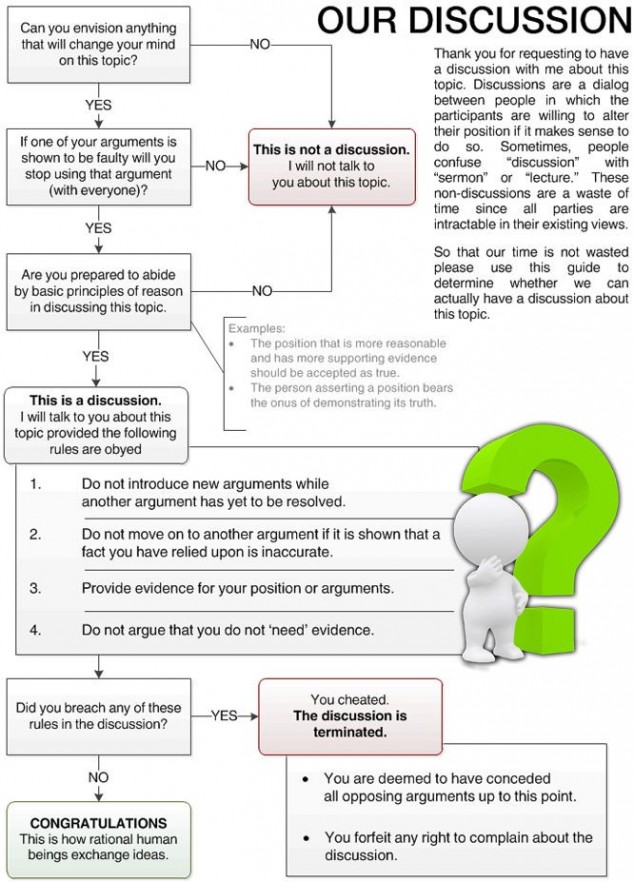
That doesn't seem right at all... Can you create a new file with meaningless files for us to see (make sure they can still be accessed without a password using Allegro)? -- acc.js | al4anim - Allegro 4 Animation library | Allegro 5 VS/NuGet Guide | Allegro.cc Mockup | Allegro.cc <code> Tag | Allegro 4 Timer Example (w/ Semaphores) | Allegro 5 "Winpkg" (MSVC readme) | Bambot | Blog | C++ STL Container Flowchart | Castopulence Software | Check Return Values | Derail? | Is This A Discussion? Flow Chart | Filesystem Hierarchy Standard | Clean Code Talks - Global State and Singletons | How To Use Header Files | GNU/Linux (Debian, Fedora, Gentoo) | rot (rot13, rot47, rotN) | Streaming |
|
William Labbett
Member #4,486
March 2004
|
Alrighty. Took me some time to make a demonstration : http://www.allegro.cc/files/attachment/602621 Link to : C:\allegro-4.9.22-mingw-3.4.5\lib\liballegro_image-4.9.22-mt.a;C:\allegro-4.9.22-mingw-3.4.5\lib\liballegro_main-4.9.22-mt.a;C:\allegro-4.9.22-mingw-3.4.5\lib\liballegro_physfs-4.9.22-mt.a;C:\allegro-4.9.22-mingw-3.4.5\lib\liballegro-4.9.22-mt.a Make sure my_data folder is in working directory. It prints out text loaded okay for me but I can't open the png without putting in a password on file browser. Password is 12345 unless it's all because I didn't initialise the ALLEGRO_BITMAP * to NULL EDIT 2 : <relief>no, it's not</relief>
|
|
Peter Wang
Member #23
April 2000
|
Perhaps you have the wall_tex.png on the filesystem which PhysicsFS is picking up?
|
|
William Labbett
Member #4,486
March 2004
|
Before I have to apologise for my stupidity..... Here's what my conjecture was : a) zip file cannot be accessed without password in a normal file browser. b) zip file can be accessed with the (source) code I gave without using the password. If you're saying you can access the zip file without using a password (EDIT : using a file browser) but not by using the (source) code then I'm wrong (although I can't). If so I apoligise. Not sure what's going on. Peter Wang said: Perhaps you have the wall_tex.png on the filesystem which PhysicsFS is picking up? Perhaps. Looking into it. EDIT : okay. I've deleted every other copy of wall_tex on my C:\ drive and it still loads it. EDIT 2 : Quote: If you're saying you can access the zip file without using a password (EDIT : using a file browser) but not by using the (source) code then I'm wrong (although I can't). sorry if that was confusing, I'm tired. What I stated as what my conjecture was is what I meant to say though. EDIT: just wondering if the password is not itself used to encrypt the file, just to allow opening it but then why would the code be able to ?
|
|
Peter Wang
Member #23
April 2000
|
The wall_tex.zip you provided is password protected. I can list the contents without the password but not extract wall_tex.png. Both your example and ex_physfs are unable to load wall_tex.png, as expected. If your conjecture is right, you better install a deadlock on your door...
|
|
Jonatan Hedborg
Member #4,886
July 2004
 |
William Labbett said: EDIT: just wondering if the password is not itself used to encrypt the file, just to allow opening it but then why would the code be able to ? It should encrypt the file. Perhaps there is some weird issue/bug/exploit causing it to not actually encrypt the file (because it's so small maybe?), and your program reads the "encrypted" data as if it was unencrypted (and that it in this specific case works). Maybe it's a bug in 7zip... I'm not too familiar with how zip ecnryption works. More likely is that the zip you actually use is not password protected, you are reading a normal image or some even simpler solution EDIT: Maybe physfs does some caching? So it actually uses an older, unencrypted, zip?
|
|
William Labbett
Member #4,486
March 2004
|
I changed the code to what it is below. Although the message 'texture loaded okay' does come up, the bitmap doesn't appear on the screen and al_save_bitmap fails. What does that tell you ? 1#include <stdio.h>
2#include "all_allegro_headers.h"
3
4
5
6int main(int argc, char **argv)
7{
8 ALLEGRO_BITMAP *texture = NULL;
9
10 if(!al_init() || !al_init_image_addon())
11 {
12 printf("couldn't initialise.\n");
13 return 1;
14 }
15
16 PHYSFS_init(argv[0]);
17
18 PHYSFS_mount("./my_data/wall_tex.zip", "/", 1);
19
20 al_set_physfs_file_interface();
21
22 texture = al_load_bitmap("wall_tex.png");
23
24 if(texture == NULL)
25 {
26 printf(" couldn't load texture.\n");
27 }
28 else printf(" texture loaded okay.\n");
29
30
31 al_set_new_bitmap_format(ALLEGRO_PIXEL_FORMAT_ANY_32_WITH_ALPHA);
32 ALLEGRO_DISPLAY *disp = al_create_display(640, 480);
33
34 al_install_keyboard();
35
36 ALLEGRO_KEYBOARD_STATE k;
37
38 al_set_target_backbuffer(disp);
39
40 while(true)
41 {
42 al_draw_bitmap(texture, 100, 100, 0);
43 al_flip_display();
44 al_get_keyboard_state(&k);
45 if(al_key_down(&k, ALLEGRO_KEY_SPACE))
46 {
47 break;
48 }
49 }
50
51 if(!al_save_bitmap("texture_out.png", texture))
52 {
53 printf("couldn't save bitmap.\n");
54 }
55
56
57 printf("end of program\n");
58 return 0;
59}
|
|
GullRaDriel
Member #3,861
September 2003
 |
That tells me that the png is loaded encrypted. "Code is like shit - it only smells if it is not yours" |
|
William Labbett
Member #4,486
March 2004
|
Would it be too hard to write a few functions that use the password to decrpyt the data ? I guess so otherwise the PhysicsFS people would have included a few functions for it. As it stands, Allegro 5 is missing a way for people to safeguard there graphics against being pinched. So, the only advantage of using PhysicsFS is data compression.
|
|
SiegeLord
Member #7,827
October 2006
 |
William Labbett said: So, the only advantage of using PhysicsFS is data compression. This was always the case. If you don't want your graphics pinched, don't make computer games. "For in much wisdom is much grief: and he that increases knowledge increases sorrow."-Ecclesiastes 1:18 |
|
GullRaDriel
Member #3,861
September 2003
|
Anyway if they want your graphics they'll have it while running your game. You can't avoid people from taking screenshots, or even from taking photos of the screen just to have your gfxs. Even commercial games commonly don't bother to do so, and commonly changing the extension of your jpges/bmps/whatever will avoid 90% of the users from getting it in the file. Don't spend time in password protection. Spend your time coding the game fool ! "Code is like shit - it only smells if it is not yours" |
|
Jonatan Hedborg
Member #4,886
July 2004
|
William Labbett said: Would it be too hard to write a few functions that use the password to decrpyt the data ? I guess so otherwise the PhysicsFS people would have included a few functions for it. As it stands, Allegro 5 is missing a way for people to safeguard there graphics against being pinched. So, the only advantage of using PhysicsFS is data compression It would take a truly minimal effort and a debugger to find the password used, since it will be embedded into the executable. It's not worth the effort.
|
|
Neil Walker
Member #210
April 2000
 |
I just guessing here But allegro uses physfs, physfs uses zlib, zlib works with gzip files. gzip files are just for compressing/decompressing using the deflate algorithm and can't be encrypted/passworded unless you use another program alongside (e.g. pgp, etc), therefore you'll have to do it yourself. Neil. wii:0356-1384-6687-2022, kart:3308-4806-6002. XBOX:chucklepie |
|
Thomas Fjellstrom
Member #476
June 2000
 |
Yeah, you can encrypt the data yourself if you really want it. -- |
|
Trezker
Member #1,739
December 2001
 |
GullRaDriel said: You can't avoid people from taking screenshots, or even from taking photos of the screen just to have your gfxs.
You can't copy a 3D model by taking a screenshot. |
|
Oscar Giner
Member #2,207
April 2002
 |
|
GullRaDriel
Member #3,861
September 2003
|
If you can see it, if you can hear it, then you can save it. "Code is like shit - it only smells if it is not yours" |
|
Karadoc ~~
Member #2,749
September 2002
 |
You can't really make it impossible for people to take your game resources. But if it is easier for the programmer to encrypt the files than it is for the end-user to decrypt the files, then maybe it is worth while. ----------- |
|
|