Hey allegro peoplez!
I was wondering what you guys and girls use for planning out a programming project. Books/webpages read, self-established routines, software, etc. For example, lets say you were asked to make a game engine, how might you draw that out on a chalkboard to make programming it easier and manageable? I know this is a fairly open-ended question but any thoughts and comments would be appreciated.
I do it like this:
Start programming whatever comes up in my mind.
One flaw in the design.
Scrap and start all over again.
This method has never failed me!
I never actually finished any project in my entire life.
Copy programme I like with features I thought would be cool not in original...
Write code with only a vague, i'll figure it out as I go along approach.
Polish turd until reflection is obtained.
.......
What I should of done....
Get good education (mathematics degree), and well paying job preferably with a merchant banking company.
Pay some code monkey to design the game I want.
Blame code monkey for not writing the new Doom in 2 months from scratch, and
compling with my constant changing designs every week/day/hour/sec.
Pay a PR company to pass of the incomplete game as an innovative ground breaking interactive new media piece of digital fiction. Get you mates at the merchant banking company to package up your company as a barely legal assest stripped paper company and flog it some investors claiming it to be the new Zynga/EA whatever.
Take money and run, spend life on beach with piles of money, and all the earthly delights that can be obtained with it.
.................................
Can you guess which route I took?
If you want to get really technical there is MS Project.
Use MS-Project to organize your code monkey(s).
Make flow charts of algorithms, methods, classes.
Make Data Flow Diagrams of entities and functions in the game.
Make Entity Relationship Diagrams to know how many instances of things each thing should have.
Make a design manual and strictly stick to it; Don't find yourself half done and say "ouuuu that would be such a cool feature to add!". DNF tried that and we all know how that turned out :O .
If you have several code monkeys, be sure to get high quality leather for the glove you use to smack them when they tell you your deadlines are "unattainable".
If you are the only monkey, then do whatever is necessary to stay motivated, agile, and productive (booze, women, coffee, games)
If you follow these guidelines you should have no trouble dishing out the next $BEST_SELLING_GAME in $REASONABLE_TIME !
Good Luck!
Phase 1: Think. A lot.
Phase 2: Write between one and 20 prototypes. Abandon them all.
Phase 3 (happens spontaneously): One of the prototypes gains critical mass. Add it to source control (if I haven't already). Gradually massage it into shape, ruthlessly refactoring as early as possible.
Phase 4: Project grows too complex for me to keep all issues and nice-to-haves in my head. At this point, I set up a text file (yes, a f**ing plain text file) which I use to dump all to-do's. I add this text file to source control and keep it up-to-date. This way, whenever I have time to work on the thing, I have an abundance of things to do.
My process lately is that I start the project, coding along happily.
If the project doesn't die in a week or so I put it up on github.
Then I use githubs issues instead of having a todo document.
I also use their wiki for design and documentation pages.
I don't try to plan out the entire project ahead of time.
I write down any ideas as soon as possible just to keep a clear head.
As for code design I try to think ahead to avoid future refactoring that I know I'd probably have to do later anyway, this part requires experience so don't sweat it much. If it turns out you didn't predict the needs it just means you have to refactor more often than more experienced programmers.
I like to keep a collection of design documents:
1) What I plan to do
2) What I've already done which isn't immediately obvious from looking at the code
3) What I should do regarding reuse and extension of what I've done
4) What I shouldn't do regarding reuse and extension (e.g. possible pitfalls)
And the final step is to break up with your girlfriend so that you can code in peace. 
I've always like the saying "build enough tools and the project builds itself."
But that doesn't help with prioritization. For that I have a moleskin notebook where I write everything. Typically a page is some goal of the project and a todo list of items to get that goal completed. I may or may not complete the goal depending on what I decide, but I write everything down.
When I'm getting ready to work I map out the goal for this session on a whiteboard and think really hard about it. After thinking really hard most of the code is finished and it just needs to be dumped out of my head and into a computer. I keep a todo list on the whiteboard so I don't miss anything and for that gratifying stroke marking each as done.
If it turns out you didn't predict the needs it just means you have to refactor more often than more experienced programmers.
I find that the more experienced I get, the more time I spend refactoring.
I think that may be because unexperienced programmers don't know much about refactoring so they ugly hack their way into an unmaintainable corner.
It's pure chance if you run into an unmanagable or 'finished' state first. 
I think it's a necessary process, and all programmers must go through this repeatedly both to develop the problem solving skills necessary to be able to debug other people's code, and to fully appreciate the importance of design and best practices.
When I look back at the hideous code I used to write, I'm actually astounded at how much I managed to complete and how much "brute-force" thought I must have thrown at my projects to follow the spaghetti code I used to write.
Now that I'm a more experienced programmer, it feels like most of my effort is concentrated on thinking about what is the cleanest way to do something, and how best to refactor existing code so that it is consistent with whatever addition I am making.
I think that may be because unexperienced programmers don't know much about refactoring so they ugly hack their way into an unmaintainable corner.
I think that it's because inexperienced programmers often misjudge the complexity of the thing they are currently working on, and their ability to make sense of it later. Additionally, if you aren't using source control yet, refactoring is a dangerous thing.
When I look back at the hideous code I used to write, I'm actually astounded at how much I managed to complete and how much "brute-force" thought I must have thrown at my projects to follow the spaghetti code I used to write.
Same here, and I think it's the same for everyone. My old code, however, also often suffers from over-engineering, trying to be too clever. Sometimes, I'd write a whole framework which I would then use once, not even touching half of what it could do. These days, my approach is more like start with a pragmatic solution that works for one case, and then gradually refactor it into something more generic.
1. Use source control. Like svn or git.
2. Use a design document, or at least a todo list, like this:
http://www.abstractspoon.com/tdl_resources.html
Really great tool for prioritizing task, dividing tasks into subtasks until they become manageable, and keeping track of efforts and times (optional).
3. Use a good IDE, like MS Visual C++ Express on Windows or the Eclipse C++ package on linux. Get used to the debugger.
As for refactoring and writing re-usable code: I always have the main project and a number of libraries, one of them is my own tools and whatever library. Then I start to code on the main project, and whenever I find something which is needed in another project or seems to be re-usable, I move that stuff into my library, where I can put it in shape.
Think about the project from a high-level perspective.
What "business"[1] entities exist?
What logical entities will be useful to glue the business ends together?
Try to imagine how you might modularize the application.
Focus on one thing at a time and try to keep it simple (but safe and reliable).
Insist upon good design practices: data encapsulation, dependency injection, least privilege, etc.
Refactor the code as soon as you add more paint to the picture.
Assume there's always a better way.
Automate as much as possible. You're human and therefore prone to error. Let the computer do as much as possible for you.
Record your thoughts in plain text; in comments, in TODOs, in READMEs, and document all good and bad practices within the project, and highlight questionable areas or ideas.
References
- I don't mean "business" in the goods/services-for-money sense. Pac-man would be an example of such an entity in a Pac-man game.
Cough
3. Use a good IDE, like MS Visual C++ Express on Windows or the Eclipse C++ package on linux
{"name":"58199d1294879461-kennt-wayne-double-facepalm.jpg","src":"\/\/djungxnpq2nug.cloudfront.net\/image\/cache\/7\/e\/7e5689b14e4c3c964f23a68b2f9f5a33.jpg","w":350,"h":280,"tn":"\/\/djungxnpq2nug.cloudfront.net\/image\/cache\/7\/e\/7e5689b14e4c3c964f23a68b2f9f5a33"}
That one made my day ^^
The (de)motivator is a nice one. 
I don't see how that relates to my 3. above, though... 
I don't see how that relates to my 3. above, though...
I guess some inexperienced programmers think that sophisticated IDEs like Netbeans, Eclipse and Visual Studio are bad.
They're not bad, per se, but they have little to do with project planning/management. It's like saying the decor of the CEOs office affects his performance (well it might if he's a touchy-feely type).
I would say that the choice of platform and development tools does have a significant impact on your project. For small projects it might not seem too relevant, but if you have to work on some 100000 lines of code it does make a difference if you have a good IDE and debugger or not.
I guess some inexperienced programmers think that sophisticated IDEs like Netbeans, Eclipse and Visual Studio are bad.
They're not bad, per se, but it seems that many inexperienced programmers can't code their way out of a wet paper bag without one. As with any other tool: if you can program, sophisticated tools can make for a significant productivity boost, but if you can't, no tool in the world is going to help you much.
I would say that the choice of platform and development tools does have a significant impact on your project. For small projects it might not seem too relevant, but if you have to work on some 100000 lines of code it does make a difference if you have a good IDE and debugger or not.
If you have to work on a 100k line project, and you can't do it without an IDE, then I'd consider the project broken. There is no excuse for lack of structure, encapsulation, and documentation, and if those three are good enough, I can easily manage a million LOC and more using just vim, grep, find, and a web browser to navigate the documentation.
I'm "debugging" a prog that uses signals, and strace(1) is about the only way to find out what's happening in real time. No IDE can replace that.
I have been working on an about 2 million loc project, and am now involved in a 7+ million loc project. Even if I could do some work using a simple text editor and find stuff using grep, why should I? When I have tools like eclipse or the Visual Studio with Visual Assist around the corner? It just doesn't make sense to not use good tools when you have them.
It also doesn't matter if the project is considered broken or not: we build a product from these sources which is sold to customers. They want features and support in case of problems, and they don't care about the code structure - we, the developers, do that. We try to keep the stuff nice and clean, but it turns out that whatever you do, code tends to get dirty or outright ugly after some years (and some releases and a lot of added features, all without breaking existing functionality).
Debugging using a debugger is only one of several tools to find bugs. Trace is another one, and sometimes you find nasty bugs using traces, sometimes you find them using the debugger and breakpoints. Sometimes you find bugs using assertions in your code, and so on. It's always a matter of knowing the tools and using them as appropriate.
Just this morning we understood a race condition, which we have seen every few weeks, since months, but only this crash (due to an assert in the code) had all callstacks involved and much more information we built in, so we finally understood what really happened and can now think about a solution.
I have been working on an about 2 million loc project, and am now involved in a 7+ million loc project. Even if I could do some work using a simple text editor and find stuff using grep, why should I? When I have tools like eclipse or the Visual Studio with Visual Assist around the corner? It just doesn't make sense to not use good tools when you have them.
The important word in IDE is "integrated". That's the problem with GUI tools. They can't talk to each other easily. No such interface exists. So every GUI tool tries to do everything itself and none of them do anything well.
There are certainly cases where an integrated environment is useful. For example, debugging in a graphical editor that can highlight the current line, evaluate expressions under the mouse, etc., can be quite nice. However, graphical tools, and especially integrated environments, do a lot of other things very poorly.
Personally, I do most of my work on the command line whenever I can. When I'm stuck using Visual Studio (I personally hate it) Alt+T+V launches the current code file in gVim for me. I use a graphical browser, and a text-browser isn't really a substitute in the current world of funny images and videos, but that's the only GUI application that I care to use (well, and if I ever have to view or manipulate graphics)...
I can type a command list much faster than I can navigate a graphical menu system.
My IDE is called GNU/Linux. I use plugins like gnome, nautilus, geany etc...
There's even a live support system called x-chat which uses the IRC protocol where I can communicate with multiple support personnel at once.
Well, it all depends where you put your reference, doesn't it? Visual Studio slows me down like hell (that means my head runs in idle while VS is doing weird things). Eclipse isn't that bad, but both are bloated with unuseful crap. Unluckily, everything that is not bloated with unuseful crap will be waved away as being "not professional", whatever that means.
I have tried a few IDEs and stuck with QtCreator, which is lighting fast, faster than my fingers are. It copies many good concepts from Eclipse, like code navigation, but does that with enormous speed. It doesn't brag with 20 menus that each have 50 submenus, but instead supports you invisibly.
There is one disadvantage though: You can't go to fetch coffee when IntelliSense updates..
{"name":"visual-studio-wait.png","src":"\/\/djungxnpq2nug.cloudfront.net\/image\/cache\/a\/4\/a4e23e39e3b1c44962ac2eea709414fd.png","w":589,"h":185,"tn":"\/\/djungxnpq2nug.cloudfront.net\/image\/cache\/a\/4\/a4e23e39e3b1c44962ac2eea709414fd"}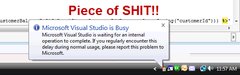
Source: http://www.donkitchen.com/2009/07/03/visual-studio-2008-is-a-piece-of-shit/
Apart from start-up, which can take up to a minute, Visual Studio, Eclipse and Netbeans are all "lightning" fast for me.
Using Netbeans (with built-in Maven and SVN), a new starter can go from a freshly built PC to having any of our company's hundreds of projects checked-out and successfully building in 10 minutes.
That will never happen in your cobbled together environments.
These are the features I deem mandatory in my code editing program:
Smart autocompletion + preview documentation
Goto implementation/goto definition
Find all references
And another I can live without but is still very useful is support for snippets.
These features are required from a debugger:
Highlight current line, next(into/over), break, pause, set next instruction etc.
Watch variables, evaluate expressions, show all local variables
View Stack
Watch memory
Smart breakpoints (break on hit count, when an arbitrary expression is true or an address has been modified)
Other things that are needed:
Code profiling/coverage
Source control
Using Visual Studio with Visual Assist X and DevPartner + plugin from your favorite source control has you covered on all fronts, and you can do all of those quickly (There's keyboard shortcuts for everything you need). Incredibuild is also priceless.
I've never run into cases where I feel slowed down by this setup, so I feel that this sort of proves that an IDE is a great way to do your thing.
Of course, my requirements are tainted by what I'm familiar with, so if you've got anything to add to that list or any reservations...
EDIT: Other useful things: (still covered under an IDE)
I also really like a cpu register/sse/fpu window available in a debugger (with the ability to show assembly code of course).
support for snippets.
What's a snippet? Is it some useful little piece of code you use often but never made it into the libraries? I'm constantly searching other projects to fetch some useful bit of code. I used to put these into a library, but I'd like these things to be stand alone without special libs.
I also really like a cpu register/sse/fpu window available in a debugger (with the ability to show assembly code of course).
What's a snippet? Is it some useful little piece of code you use often but never made it into the libraries? I'm constantly searching other projects to fetch some useful bit of code. I used to put these into a library, but I'd like these things to be stand alone without special libs.
Not exactly, its a "shortcut" for an often repeating pattern of code.
For example, you might start with the code:
RValue = Foo(x,y,z);
RValue
You highlight the lower RValue and choose the "Check for failure snippet", then it pops a dialog where you enter the text X, hit enter and it automatically inserts:
if (FAILED(RValue))
{
    Logger.Log(X);
    return RValue;
}
You can manually define any code snippet you want to paste, and map it to any name (so you could make so you start typing Try and it will morph it into
try
{

}
catch(exception &e)
{
}
finally
{
}
Or whatever you want.
I guess if you wanted to just use it to manage a library of useful snippets of code you could do that as well :X
</quote>I also really like a cpu register/sse/fpu window available in a debugger (with the ability to show assembly code of course).</quote>
Visual Studio also has those, and they are really useful, I'll add them to my post.
(For those that don't know, just watch "eax" to see eax, and you can hit alt+8 while debugging to debug the assembly code)
Using Netbeans (with built-in Maven and SVN), a new starter can go from a freshly built PC to having any of our company's hundreds of projects checked-out and successfully building in 10 minutes.
Yeah right... It takes longer than 10 minutes just to install an IDE.
Nothing is faster than:
git/svn checkout
make

Actually, I like a good IDE, but I hate environments where you must do things via an IDE or else there's no other way. I worked on a Java program while getting my Masters, and Eclipse, Maven, and whatever else I was using drove me crazy.
Yeah right... It takes longer than 10 minutes just to install an IDE.
By now you should have learnt to take everything I say with a pinch of salt.
but I hate environments where you must do things via an IDE or else there's no other way
I spent nearly a week trying to get someone's EJB project (along with a GWT font-end) to work. Up until then he had been the only person working on it, and had used a million different Eclipse addons. It was a Maven project, but his POM file was a disgusting mess - as bad as the worst ant script I've ever seen (in fact, he had used a library which allowed him to embed bits of ant scripts in his POM file ). It was the most horribly excruciating experience of my life and I ended up giving up and telling him to get it working from a fresh check-out on a fresh machine - which he still hasn't managed to do months later!
So I agree, like anything, it's possible to screw it up if you really try.
That will never happen in your cobbled together environments.
That can all be done in a single command line...  From an unformatted hard drive to a running project is only 10 minutes.
Of course, it depends on the developers designing the project that way. That includes documenting dependencies clearly and simply (so you can easily install them with your package manager or download the necessary sources and get those installed), as well as providing an automated build system. I can type a command line without looking at my screen or keyboard. If I have to click a [dynamically positioned] button on a [dynamically-sized] space then I have a lot of coordination calculations to do. You generally need a about six[1] such operations to load a Visual Studio solution and build it (there may be some keyboard shortcuts to cut those down, but how many of us know them). Every such GUI operation is slower than the command line operation simply because it requires coordination as opposed to blind typing.
Imagine using a keyboard whose mappings changed in subtle ways every time you used it. That seems like a fair analogue to what it's like using a graphical user interface. You think of it as just "clicking a button", but in practice your brains needs to coordinate your eyes and hand from some dynamic starting point to some dynamic ending point with a potentially dynamic mapping between real world and virtual distance, etc. I personally find it very slow every time I have to reach for a mouse. The only time a mouse serves me well is when I'm pwning n00bs, and even then it varies greatly by game and configuration.  I had a VERY hard time with Deus Ex: Human Revolution because the mouse-based movements were unpredictable. Any time I found myself in a combat situation (rare because I was stealthy the whole game) I had a very hard time.
Personally I consider it a bug to have to launch a graphical application and click a UI button to build a project. BAF seems to imply that a Visual Studio solution can be built from the command line, but to my knowledge he has never demonstrated it... I'm willing to wager that it's a lot more typing than `make', if it's possible at all.
References
- File..., Open..., Solution..., X, Open, Build and Debug.
http://msdn.microsoft.com/en-us/library/ee662426.aspx
msbuild foo.vcxproj
That's a project, not a solution. I'll have to give that a try on Tuesday and see how well it works out.
It works with solutions too. For example:
msbuild allegro.sln
The IDE uses msbuild, so it should be feature complete albeit it probably via switches that are meant to be machine generated.
You generally need a about six[1] such operations to load a Visual Studio solution and build it (there may be some keyboard shortcuts to cut those down, but how many of us know them).
[1] File..., Open..., Solution..., X, Open, Build and Debug.
Well, of course in order to use an IDE efficiently, you need to learn to use it . I'm pretty sure you can ask anyone that uses VS and he'll know that F7 builds the solution and that F5 debugs it (or Ctrl+F5 to run without debugging). I've been using those shortcuts since VC6 . And Ctrl+O is the standard shortcut for opening a file in any Windows app.
A graphical UI's biggest strength is the mouse. It's designed first for use with the mouse and the keyboard shortcuts are applied after. I would be fascinated to watch somebody use Visual Studio with the keyboard only because I imagine it would be very obscure and a lot of work. I doubt that anybody really does it. A GUI encourages the mouse and I know that most users predominantly use the mouse with them. Despite using Vimperator first and now Pentadactyl with Firefox, I'm still forced to use the mouse on a regular basis to the point where I often use it even when I don't have to just because it's habit...
Your project should maintain proper instruction for how to go from a freshly installed OS to building the project.
Of course you can't keep guides up to date for every conceivable OS. But just keeping it up to date for the environment you're mainly using yourself is a great help.
At regular intervals, install the OS on a fresh virtual machine and see what it actually takes to build your project.
A graphical UI's biggest strength is the mouse. It's designed first for use with the mouse and the keyboard shortcuts are applied after. I would be fascinated to watch somebody use Visual Studio with the keyboard only because I imagine it would be very obscure and a lot of work.
It's nice that you imagine that something is hard, but here in the real world it is possible, easy and comfortable. Even I[1] only use the mouse for highlighting text and for quickly navigating a file[2]. (and manipulating the source control I guess)
References
- I'm very bad at remembering shortcuts :X
- And even then only for a single file, as inter-file navigation is done much more easily with alt+shift+o, alt+o, alt+g and alt+left for example.
I would be fascinated to watch somebody use Visual Studio with the keyboard only because I imagine it would be very obscure and a lot of work
You mean like vim? Why would it be more/less obscure or require more/less work?
I'm not that good with VS shortcuts TBH (but I always usy F7/F5). A good example of using shortcuts in a GUI based app is After Effects. I've been following some video tutorials (videocopilot) and one of the first things they teach you is shortcuts, lots of them. And the guy tells you how important is learn to use them to be able to use After Effects much more efficiently.
I 3D modeling keyboard shortcuts are essential.
Blender has a steep learning curve, but once you've got the most basic shortcuts down you can work without feeling interrupted every time you need to go through menus to do something.
The key concern with shortcuts is that you don't need to move your eyes away from what you're working on.
The new Xcode (4.2b7) got about 2-3x slower. It now is essentially compiling every line of code as you write it to get those squiggly red underlines for errors in real time.
It's a culture clash, really.
On one side, there's the IDE crowd, using large, complex, but comfortable tools to make their lives easier. The IDE somewhat prescribes certain aspects of your workflow, project structure, and even team organisation, but as long as you don't try to fight this, and you have sufficient hardware resources to feed the IDE, it can be an extremely productive way of working (I've been there, and it's definitely not bad).
On the other side, there's the UNIX crowd, with their mantras of 'small, sharp tools', textuality, 'do one thing right', etc. etc. The tools are spartanic by themselves, but they do exactly what you tell them, nothing less, nothing more, and they form the building blocks of an incredibly flexible and powerful programming environment.
I could do some things really fast in Visual Studio, and that was great. But other things were excruciatingly hard, and required an obscene amount of repetitive manual work. At one point, I was refactoring a horribly bad class, changing the parameters for the constructor. That class was used just about everywhere, hundreds and hundreds of occurrences of the same constructor, with dozens slight variations, and I had to change them all. I ultimately resorted to using vim for the task.
These days, I don't know where I'd be without vim. Just a few features that make it all worthwhile:
macros. Utterly awesome. You type qn, where n is a letter of your choice, at which point vim starts recording everything you type, until you hit q again. The n register now contains the key sequence you typed, and by typing @n, you can play it back, feeding the contents of the n register back into vim's command interpreter. But it gets better: if you've made a mistake while recording, you can paste the recorded key sequence into your text, edit it, and yank it back into the same register, and then execute the edited macro.
shellouts. Almost equally awesome. When vim isn't enough, you can select some text and pipe it through any shell command; the command's output replaces the original text. One of my favorites is :%!xmlindent; another nice one is :%!cat filename - just insert the contents of filename into the current document.
the gf command - step on a filename, type gf, and bam, you're there.
ctags - especially when exuberant-ctags is available. It's like a precalculated baseline for intellisense, designed to keep working as much as possible even if the source code changes (and when it is really too outdated, YOU get to decide when to run it again). Combined with vim's built-in autocompletion, it gets pretty close to a proper IDE's autocompletion, but there is zero background activity (by contrast, Netbeans or Visual Studio suck up considerable amounts of CPU cycles just to keep their autocomplete data up-to-date).
It's nice that you imagine that something is hard, but here in the real world it is possible, easy and comfortable.
It's only relatively easy and comfortable. That's not to say that it can't get a whole lot better. 
It's nice that you imagine that something is hard, but here in the real world it
I'm very bad at remembering shortcuts :X
It helps when the shortcuts are sensible, easy to get to, and have mnemonic meanings (and when they're good enough to use all the time).
And even then only for a single file, as inter-file navigation is done much more easily with alt+shift+o, alt+o, alt+g and alt+left for example.
Are those Visual Studio shortcuts? What do they do?
You mean like vim? Why would it be more/less obscure or require more/less work?
Vim is modal. In command mode, where you spend most of your time, just about every key has a sensible meaning, and they're pretty well optimized for how often you use them. With an editor that isn't modal, normal keys are reserved for normal input at all times, so you need a modifier key for everything.
One of the most basic things, that also happens to be a great relief, is using hjkl for basic cursor movements. I also use them for scrolling in Firefox (with Pentadactyl) and it's so much easier than reaching for arrow keys, page buttons, or a mouse. I regularly find myself trying to scroll that way in sub-par applications now.  There are a lot more useful commands for movement too.
A good example of using shortcuts in a GUI based app is After Effects. I've been following some video tutorials (videocopilot) and one of the first things they teach you is shortcuts, lots of them. And the guy tells you how important is learn to use them to be able to use After Effects much more efficiently.
And effectively what he's getting at is that the graphical UI is a waste of developer time (and in many projects the GUI is one of the most complicated things to maintain).
But it gets better: if you've made a mistake while recording, you can paste the recorded key sequence into your text, edit it, and yank it back into the same register, and then execute the edited macro.
How do you paste and yank from the registers? I haven't gone this far yet.
...another nice one is :%!cat filename - just insert the contents of filename into the current document.
That sounds like the hard way to do :r[ead] filename.
...the gf command - step on a filename, type gf, and bam, you're there.
Another nice one that I haven't used before.
...ctags - especially when exuberant-ctags is available. It's like a precalculated baseline for intellisense, designed to keep working as much as possible even if the source code changes (and when it is really too outdated, YOU get to decide when to run it again). Combined with vim's built-in autocompletion, it gets pretty close to a proper IDE's autocompletion, but there is zero background activity (by contrast, Netbeans or Visual Studio suck up considerable amounts of CPU cycles just to keep their autocomplete data up-to-date).
I used them briefly one time, but I found it annoying to have the box coming up when I type, covering part of the code. I haven't bothered trying to configure it to my liking. Usually I don't need it anyway. I rarely don't know what I'm typing, and when I don't Visual Studio's intellisense isn't much help, and in the time it takes me to identify when the correct option is highlighted I can often have already typed the word. I should probably give it another try though to see if I'm wrong, but I'd be afraid to let it taint me. :P
Are those Visual Studio shortcuts? What do they do?
Yes.
alt+shift+o - goto file in project. (Hit it, start entering filename and it shows all matches for what you entered so far, hit enter to choose)
alt+o - switch between header and implementation. (essentially if you are viewing foo.c it takes you to foo.h and the other way around.)
alt+g - goto definition/declaration. If you hit this when over a name (variable, function, macro etc.) it will offer to take you to where it is defined or where it is declared (depending on context, and if it can't tell it allows you to choose). This is if course cross-file
alt+left - go back to your previous location. So if you just pressed alt+g to view exactly how that function is defined you can hit alt+left and go back to where you were just using it.
All of these are basic and vital when working with visual studio.
It helps when the shortcuts are sensible, easy to get to, and have mnemonic meanings (and when they're good enough to use all the time).
It might help, but it doesn't change the fact I'm bad at remembering them.
I worked an entire semester with Emacs and all I managed to fit in my head is: open/save/copy/cut/paste, and now I don't remember any of it.
It's only relatively easy and comfortable. That's not to say that it can't get a whole lot better.
Sure, but none of us really know precisely how things work for the other guy, so we can't really compare, and so long as everyone is happy with their way...
How about we agree that doing anything from the command-line in Windows is a disaster
How do you paste and yank from the registers?
Just prepend your yank and paste commands with "n (where n is the register you're targeting). For example, "ayy yanks the current line into register a. "+3yaw yanks 3 words to the system clipboard. "ap inserts the contents of register a after the cursor.
An alternative way is to enter insert mode and press Ctrl-r; this will bring up a little "; you can now press a letter, digit, or special register key to insert the contents of that register at the current location. So i<C-R>a<Esc> does (roughly) the same as "aP.
It helps when the shortcuts are sensible, easy to get to, and have mnemonic meanings (and when they're good enough to use all the time).
The best thing about vi commands, IMO, is how they are ultimately consistent, almost modular. 'y' is for yanking, 'c' is for changing, 'd' is for deleting, 'i' is for inserting, 'a' is for appending. All these operations can be modified the same way: append 'aw', and they operate on a whole word. Double them, and they operate on the current line. Append a slash and a regex, and they operate up to the next match. Prepend a number, and they are applied this many times.
At the same time, most of the commands are perfectly mnemoic, yet almost all of the keys are used for something, which means they are used very efficiently.
How about we agree that doing anything from the command-line in Windows is a disaster
FTFY. I still prefer the command line for most things in Windows (it's a lot faster and more reliable for file operations, for example), but it sucks compared to a UNIX shell.
I just use gcc on the command line and debug with gdb in cygwin .
It works with solutions too.
Don't waste your breath. I've told him several times before on IRC, and probably a few times on these forums.
Well it does work. So that's awesome. Unfortunately, everything I work on in Visual Studio is a Web application, so for it to truly be useful I also need to figure out how to launch the Web application either in the bundled development server or in "IIS Express".  It would also be useful if when launched I could connect the Visual Studio debugger to it automatically so I could still set break points and such.
 Unless you're going to tell me that Visual Studio ships with a command line debugger. Apparently there is a Mdbg.exe, a .NET command line debugger.
It would also be useful if when launched I could connect the Visual Studio debugger to it automatically so I could still set break points and such.
You can set visual studio to do whatever you want when you start debugging, including starting whatever process you want and on which remote computer to do it. I'm not really sure if that helps since I don't really understand exactly what you are running and what you are debugging... Of course you can also use the "attach to process" functionality (which also works on remote computers) to debug whatever.
Wait... you want to build and run from the command line, only to attach the GUI debugger? What's so hard about hitting F5 in the IDE at that point?
You can set visual studio to do whatever you want when you start debugging, including starting whatever process you want and on which remote computer to do it.
My goal is to NOT use Visual Studio.
Wait... you want to build and run from the command line, only to attach the GUI debugger? What's so hard about hitting F5 in the IDE at that point?
I'm not comfortable with command line debuggers (because I don't get to use them often). If I could learn to effectively use the command line debugger (I'm surprised there even is one for .NET) then I'd prefer that. Otherwise, yes, I'd be willing to use the GUI debugger if I must; but I'd like the ability to script the build and start process.
Albeit, it's a silly request when Windows lacks decent scripting until you add UNIX software to the mix... What I really want is to work with Java or Perl in a UNIX-like OS.